

Digital Planner
NewK02The Operating Planner
by Germar Studios
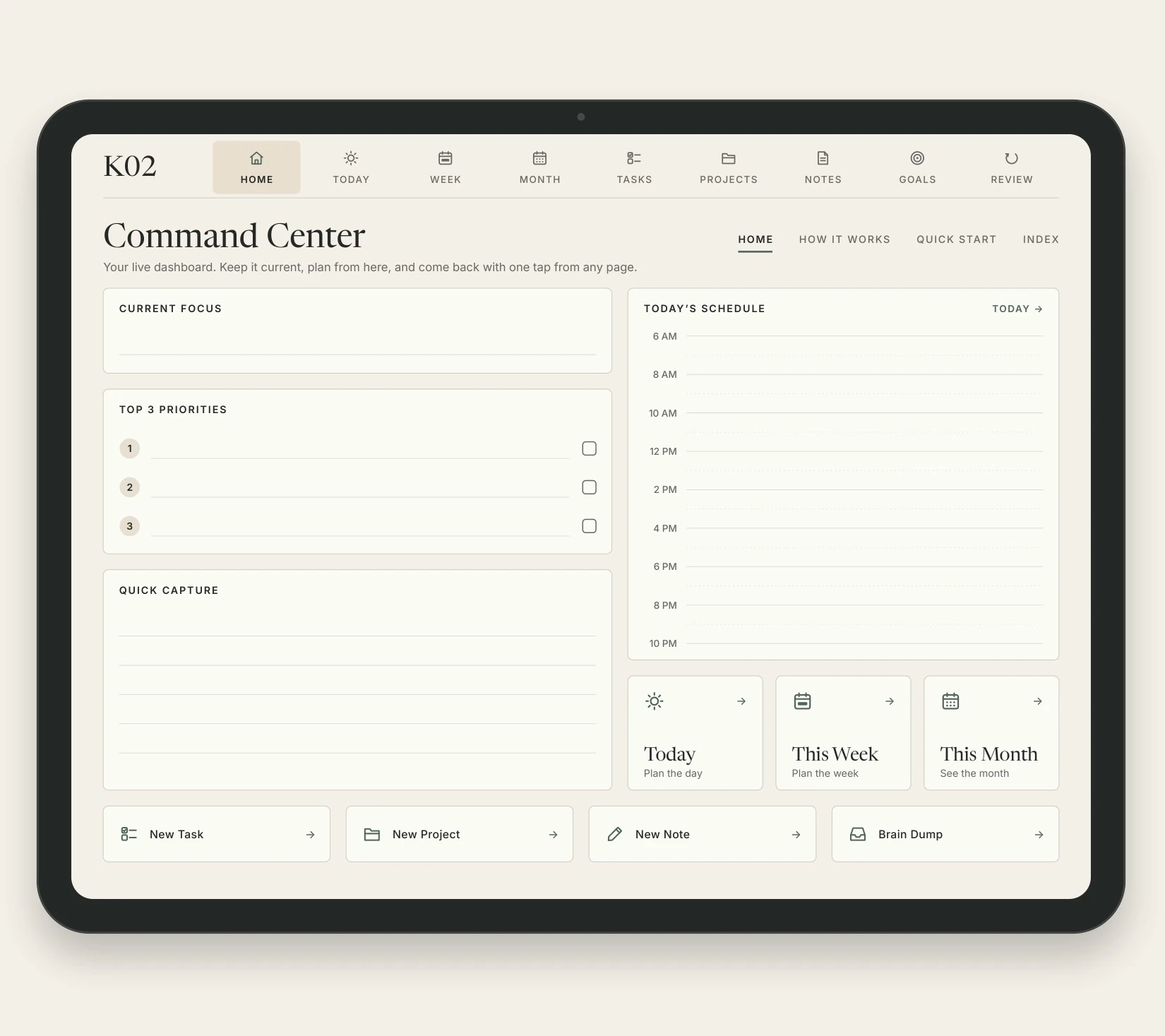
Move from thought to action.
A 26-page hyperlinked digital planner designed for Goodnotes & Notability on iPad.
- Capture
- Prioritize
- Plan
- Do
- Review
Launch price $11.99Regular price $14.9920% off · Launch price
One-time purchase · Instant digital download
26 pages · 2 start-day editions · Quick Start · Mini Stickers
Secure checkout via Stripe · Instant digital delivery
Inside the planner
The finished planner, page by page, shown on a tablet. Choose a page to see it.
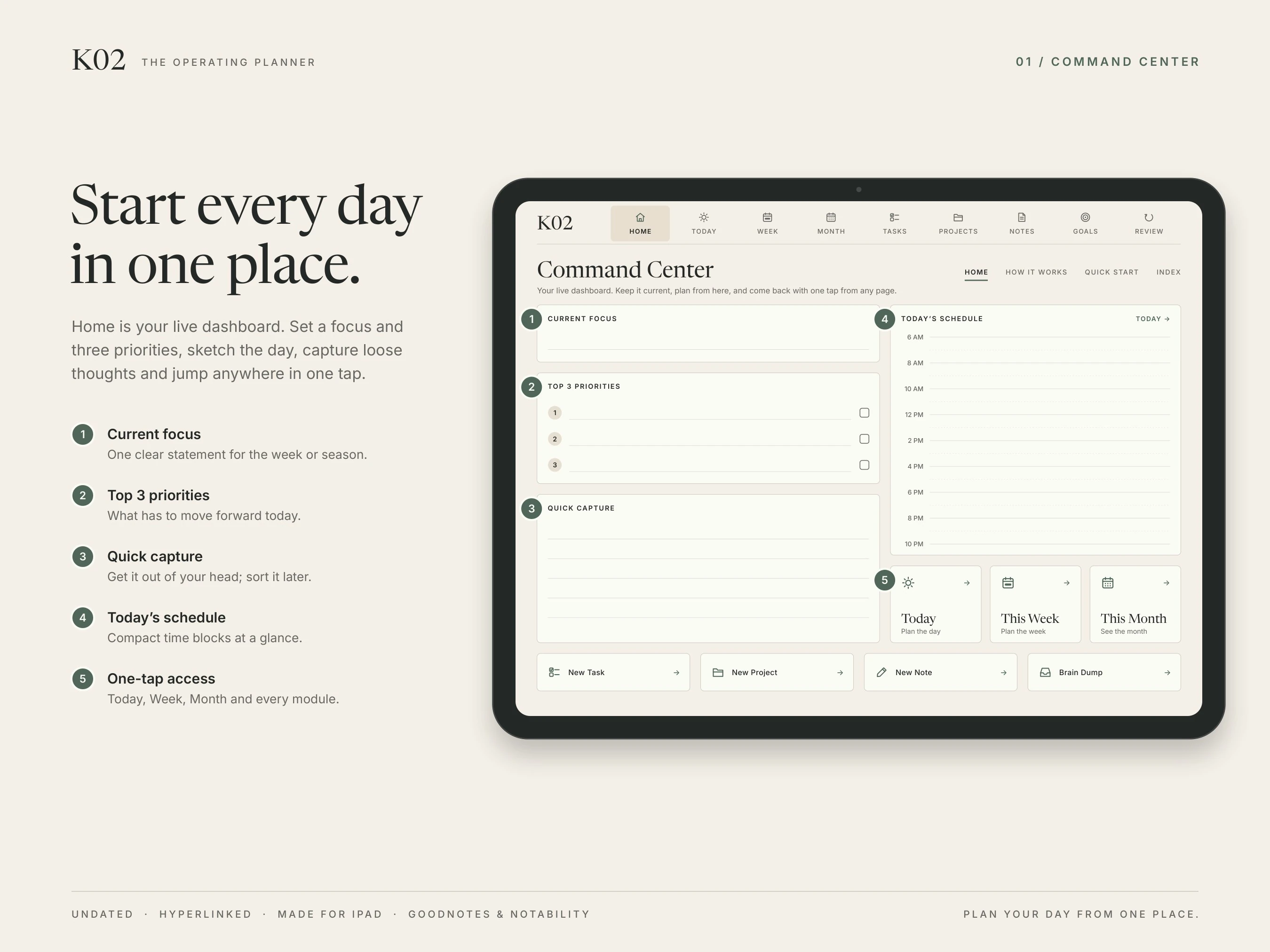
01 / 08
Home — the Command Center
Set a focus and three priorities, sketch the day, capture loose thoughts, and jump anywhere in one tap.
Why K02
A digital planner that feels fast instead of bloated.
K02 is a focused digital planning system for people who want structure without turning their planner into another thing to manage.
Instead of filling hundreds of pages with templates you will never open, K02 gives you one clear workflow: capture ideas, set priorities, plan your time, get things done, and review your progress.
It is a lightweight PDF with real internal navigation, so it stays simple and fast. Choose your start day, and keep using it — the core planner is undated.
Built for writing, not scrolling.
The problem
Many digital planners try to win by adding more:
- More pages.
- More trackers.
- More templates.
- More clutter.
The K02 approach
K02 is designed around one idea:
Less friction between deciding what matters and doing it.
26 focused pages instead of hundreds, each with one job in the loop — so you always know where something belongs.
THINK → MOVE
- Capture
- Prioritize
- Plan
- Do
- Review
Kinetic planning
Five moves. Every page belongs to one of them.
- 01
Think
Capture ideas, notes and incoming tasks before they turn into noise.
Home · Brain Dump · Notes
- 02
Prioritize
Focus on what actually matters — three priorities, not thirty.
Focus · Monthly Priorities
- 03
Plan
Organize your day, week, month and goals.
Today · This Week · This Month · Goals
- 04
Do
Turn priorities into practical action.
Tasks · Projects · Meeting Notes
- 05
Review
Reflect, reset, and carry forward what is left.
Weekly Review · Monthly Review · Habits
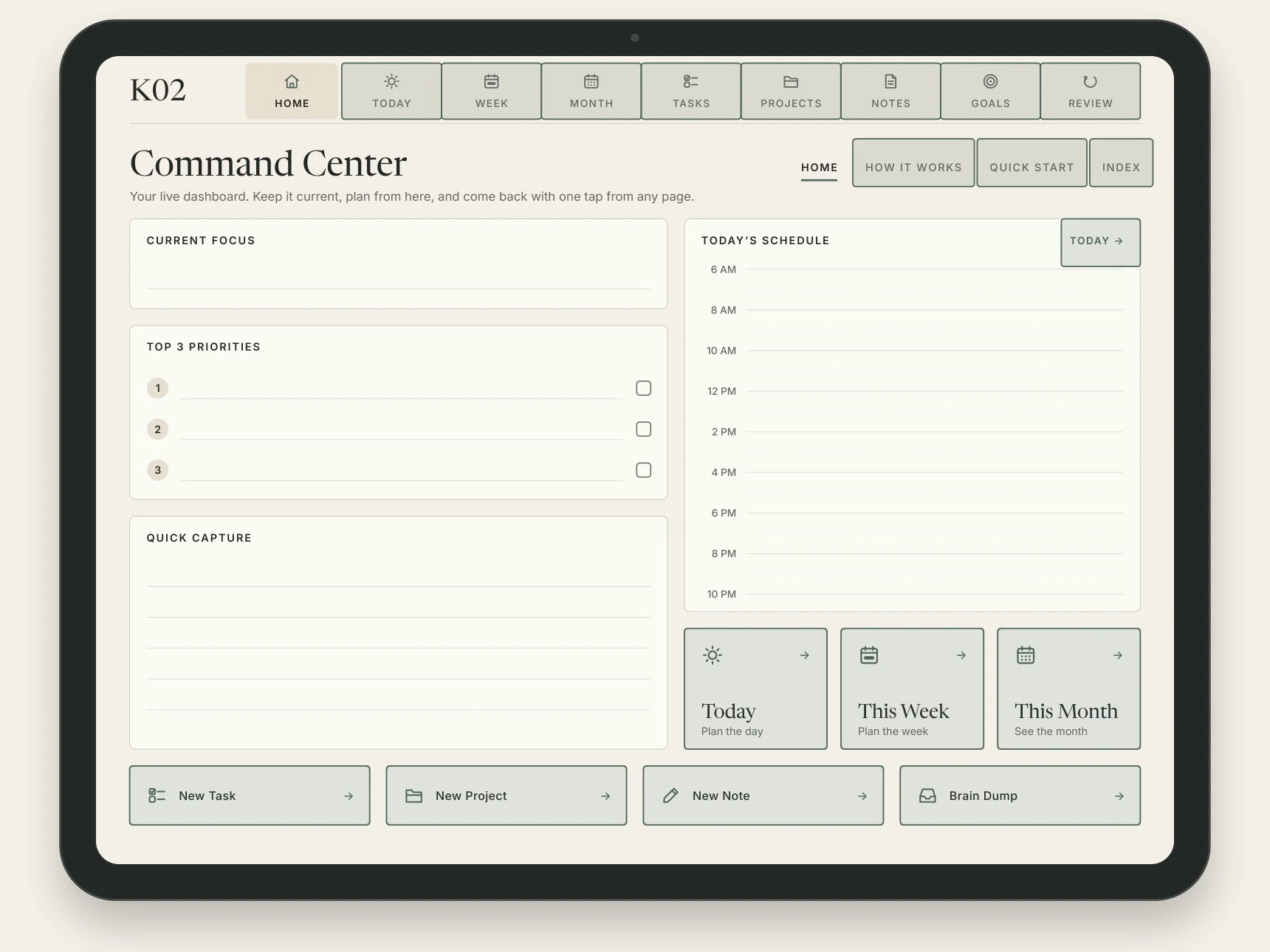
Fully hyperlinked
Home is always one tap away.
K02 uses real PDF links, not pictures of buttons: a top bar on every page after the cover, tabs inside each section, and shortcuts where you need them.
- Internal links per edition
- 372
- Sections in the top bar
- 9
- Taps from Home to any planning page
- ≤2
- Real internal PDF hyperlinks, not pictures of buttons
- Home navigation from every page after the cover
- Section tabs inside Today, Month, Tasks, Notes and Goals
- Monday-start and Sunday-start editions
- Undated, so it is never out of date
- A light file — about 455 KB per edition
- Apple Pencil and stylus-friendly layout
- Clean writing areas with room to write
What's included
Everything you need to plan. Nothing you need to fight through.
- 26-page Monday-start planner
- 26-page Sunday-start planner
- K02 Quick Start guide
- K02 Mini Stickers — 24 transparent PNGs
- Hyperlinked internal navigation
- Undated, reusable planner
- Tablet-first landscape layout
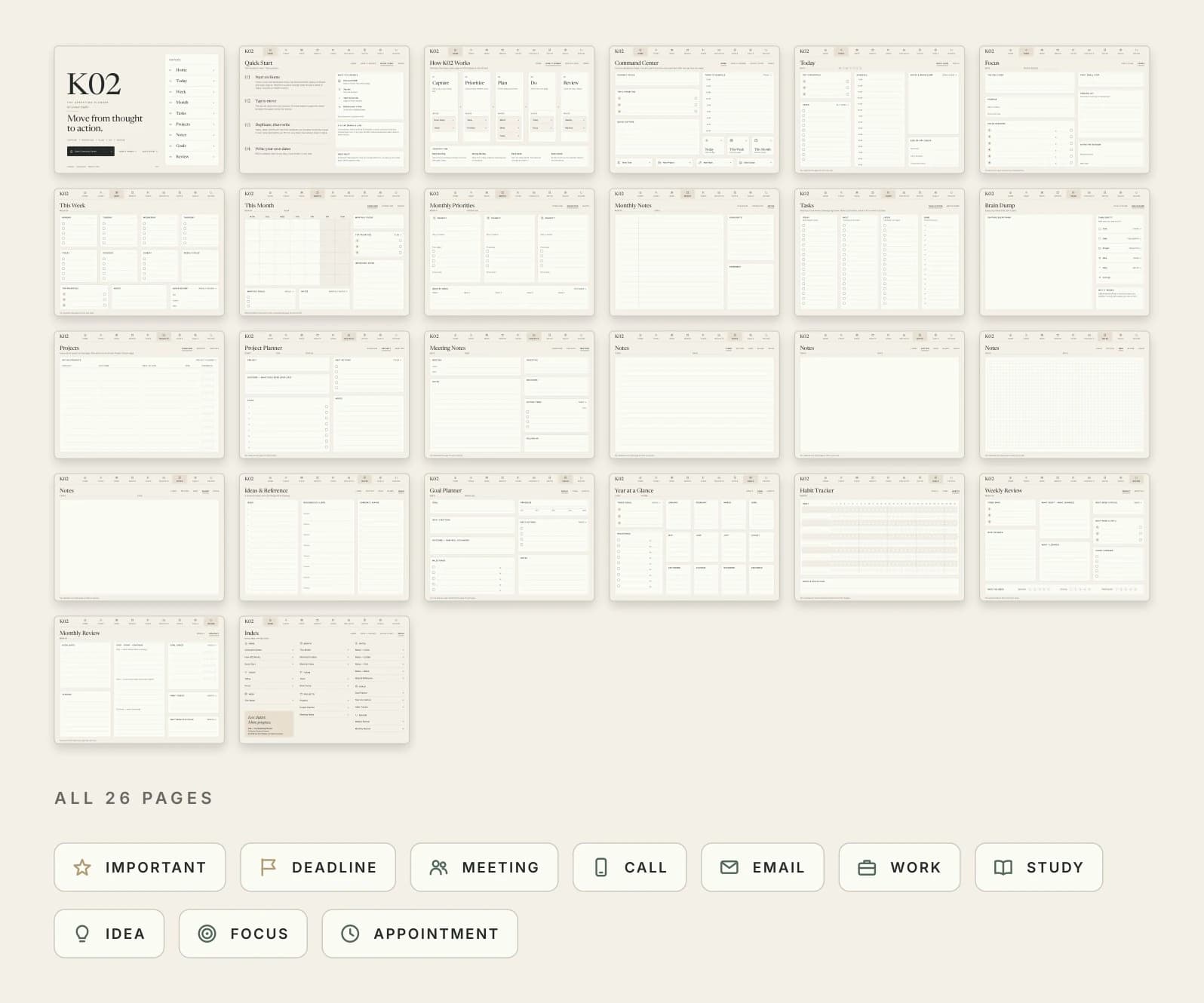
Every page, by name
- 01Cover
- 02Quick Start
- 03How It Works
- 04Home
- 05Today
- 06Focus
- 07This Week
- 08This Month
- 09Monthly Priorities
- 10Monthly Notes
- 11Tasks
- 12Brain Dump
- 13Projects
- 14Project Planner
- 15Meeting Notes
- 16Notes — Lined
- 17Notes — Dotted
- 18Notes — Grid
- 19Notes — Blank
- 20Ideas & Reference
- 21Goal Planner
- 22Year at a Glance
- 23Habit Tracker
- 24Weekly Review
- 25Monthly Review
- 26Index
How it works
Three steps to your first plan.
Choose your edition
Monday-start or Sunday-start. Both are in the package; the pages are identical apart from where the week begins.
Import it into your PDF note-taking app
Unzip the package and open the planner in Goodnotes, Notability or the app you use. The Quick Start guide walks through it.
Start planning
Begin on Home and use the navigation to move around. When you need a fresh day, week or month, duplicate the template page.
Page duplication is manual. K02 does not add dates or create pages on its own. When you need a new day, week or month, duplicate the template page in your note-taking app — that is what keeps the file small and the planner reusable.
Compatibility
Designed for Goodnotes and Notability on iPad, using a standard interactive PDF.
K02 uses standard PDF internal links and annotations. Actual behavior can vary by note-taking app and version.
The Quick Start guide provides the intended workflow and fallback guidance. The planner is laid out for a landscape tablet screen with Apple Pencil or a compatible stylus, and is not designed for phones or e-ink tablets.
Goodnotes, Notability, iPad and Apple Pencil are trademarks of their respective owners. K02 is an independent product and is not affiliated with them.
What is not included
- Dates, or pages that generate themselves. K02 is undated; you duplicate a template when you need a new day, week or month
- Calendar sync, reminders or a connection to any other app. It is a PDF you write on
- Goodnotes, Notability or a tablet. The app and the device are yours
- Anything printed or shipped. This is a digital download
Written down on purpose. Knowing what a thing is not is how you know whether it is the thing you need.
Specifications
- Format
- Interactive PDF, 4:3 landscape
- Main planner
- 26 pages per edition
- Editions
- Monday-start + Sunday-start
- File size
- ≈455 KB per edition
- Dates
- Undated
- Navigation
- Real internal hyperlinks
- Quick Start
- 5 pages
- Extras
- 24 mini stickers (PNG)
- Delivery
- One ZIP, instant download
Before you buy
Questions, answered plainly.
What is K02?
A 26-page digital planner, built as an interactive PDF, that follows one workflow: capture, prioritize, plan, do, review. Home is a dashboard, and every section is a tap away from it.
Which apps is K02 designed for?
Goodnotes and Notability on iPad. K02 is a standard interactive PDF that uses ordinary internal PDF links, so it also opens in most PDF annotation apps — but how a link is tapped can vary by app and version. The Quick Start guide covers the intended workflow and what to do if a link behaves differently. K02 is an independent product and is not affiliated with Goodnotes, Notability or Apple.
Is K02 dated?
No. Every page is undated. You write the dates in yourself, so you can start on any day of any year.
What files are included?
One ZIP package holding four files: the Monday-start planner, the Sunday-start planner, the K02 Quick Start guide, and the K02 Mini Stickers (24 transparent PNGs).
Is this a physical product?
No. K02 is a digital download. Nothing is printed and nothing is shipped.
How do I use the planner?
Unzip the package, import the edition you prefer into your note-taking app, and start on Home. The Quick Start guide walks through importing, navigating and reusing pages.
Can I use it more than once?
Yes. The planner is undated, so the same file works for as long as you keep using it. When you need a fresh day, week or month, duplicate the template page in your app.
Can I duplicate pages?
Yes, in apps that support page duplication — Goodnotes and Notability both do. Duplication is manual: K02 does not create new pages or dates on its own.
Do I need an iPad?
K02 is laid out for a landscape tablet screen and designed around iPad with Apple Pencil or a compatible stylus. It is not designed for phones or e-ink tablets.
What happens after I purchase?
Payment is handled by Stripe. As soon as it clears you are taken to your download page, and the same private link is emailed to you. It does not expire.
Can I get a refund?
No. K02 is delivered in full the moment the payment clears, so every sale is final. That is why this page shows the real pages, every file in the package, and what K02 does not do — and if anything is unclear, write to the studio before you buy.
K02 — The Operating Planner
Less clutter. More movement.
Instant digital download · Undated · 2 editions included